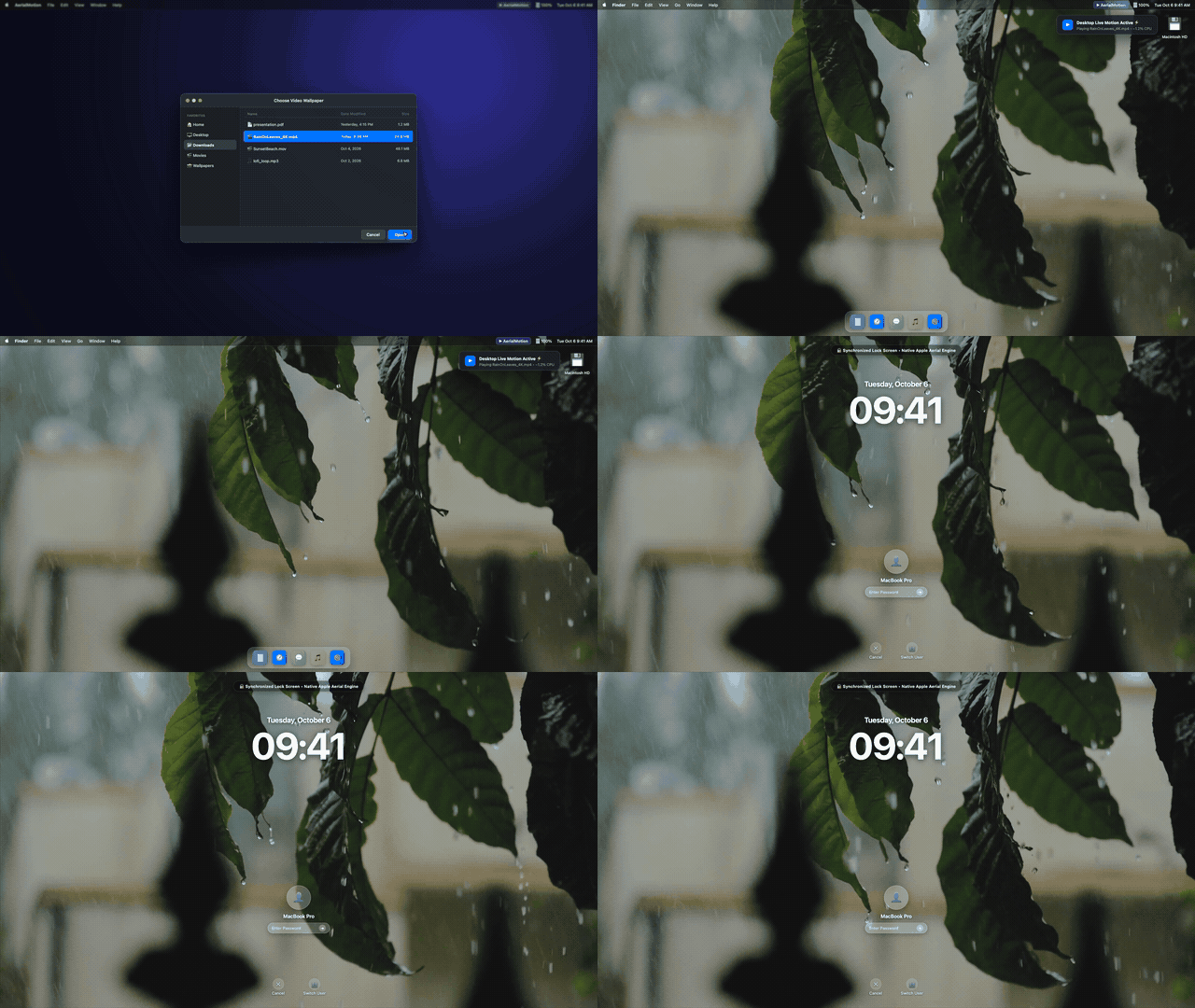
Set custom .mp4 and .mov files as your desktop and lock screen wallpaper. Fluid native Apple media engine transitions with ~0% idle CPU and zero continuous battery drain.
 AerialMotion File Edit View Window Help
WallpaperAgent. Closes completely when idle.Traditional live wallpaper apps run continuous video players on top of your desktop, causing fan noise, high memory pressure, and broken lock screens. AerialMotion solves this at the system level.
Your video loops smoothly on your desktop AND lock screen. When waking, sleeping, or unlocking, macOS transitions seamlessly without glitching.
Intelligently throttles and pauses when your MacBook is on battery, in Low Power Mode, or when full-screen apps hide your desktop.
Utilizes Apple Media Engine hardware decoders to convert standard MP4/MOV videos into macOS-native aerial containers in seconds.
Settings window opens cleanly in the center of your screen with dedicated macOS AppKit controls that never accidentally collapse.
Stay current automatically. AerialMotion integrates with GitHub Releases to notify you and upgrade with zero hassle.
Never overwrites protected system files. Revert to Apple’s standard dynamic aerials anytime with a single click in the menu bar.
See the architectural difference between native macOS integration versus traditional third-party live wallpaper players.
| Feature / Capability | AerialMotion (Native) | Traditional Mac Wallpaper Apps |
|---|---|---|
|
Lock Screen Synchronized Playback
Seamless loop continues when Mac locks or wakes
|
✓ Full Native Lock Screen Sync | ✕ Desktop only (Cannot touch Lock Screen) |
|
Idle CPU & Resource Usage
Impact on processor while sitting on desktop
|
✓ ~0.0% Idle CPU (Zero transcoding) | ✕ 15% – 35% continuous CPU load |
|
Battery Saver & Window Occlusion
Pauses when occluded or running on battery
|
✓ Pauses on battery & low power | ✕ Keeps rendering in background |
|
Mission Control & Spaces
Transitions across multiple desktop spaces
|
✓ Native Apple Space transitions | ✕ Window stutter & overlay flickers |
|
Pricing & License
Open-source transparency vs proprietary subscriptions
|
✓ 100% Free & Open Source (MIT) | ✕ Paid commercial subscriptions |
Browse calm, cinematic loops tested for smooth 60fps playback and native lock screen synchronization.
 4K Loop
 4K Loop
 4K Loop
 4K Loop
AerialMotion is completely standalone and requires zero root privileges or dangerous terminal modifications.
Download AerialMotion.dmg from GitHub Releases, open the DMG, and drag AerialMotion into your Applications folder.
AerialMotion is an independent open-source project distributed directly on GitHub outside the Mac App Store. macOS Gatekeeper requires a quick one-time command on first download. Open Terminal and run:
💡 Alternatively, go to System Settings → Privacy & Security and click Open Anyway.
Answers to common questions about setting custom live wallpapers on macOS Sonoma and Sequoia, performance, battery life, and formats.
WallpaperAgent container. It consumes ~0% idle CPU and automatically pauses playback when your MacBook is on battery or in Low Power Mode.
.mp4 and .mov video files across 1080p, 4K, and 8K resolutions at up to 60fps and 120fps (ProMotion). It natively processes HEVC (H.265), H.264, and Apple ProRes codecs without generational compression loss.
WallpaperAgent's hierarchical aerial container format, generating a unified dual-layer package. When you lock, sleep, or wake your Mac, macOS smoothly transitions the video from screensaver to static lock and live desktop motion without glitching or restarts.
xattr -cr /Applications/AerialMotion.app (or open System Settings → Privacy & Security and click Open Anyway).
AerialMotion.app from your Applications folder to the Trash.
Download AerialMotion for free. Open-source, battery-friendly, and beautifully synchronized with your lock screen.